Already have a podcast hosted somewhere else? You can now bring it with you.
Chatmosa just launched Podcast Library Import. Enter an existing audio or video RSS feed, and your episodes come into Chatmosa. You don't have to start over.
If you've spent years building an audio or video podcast catalog on another host, that work comes with you.
To Import your existing podcast:
1. Go to your podcast settings and select "Import Existing Podcast"
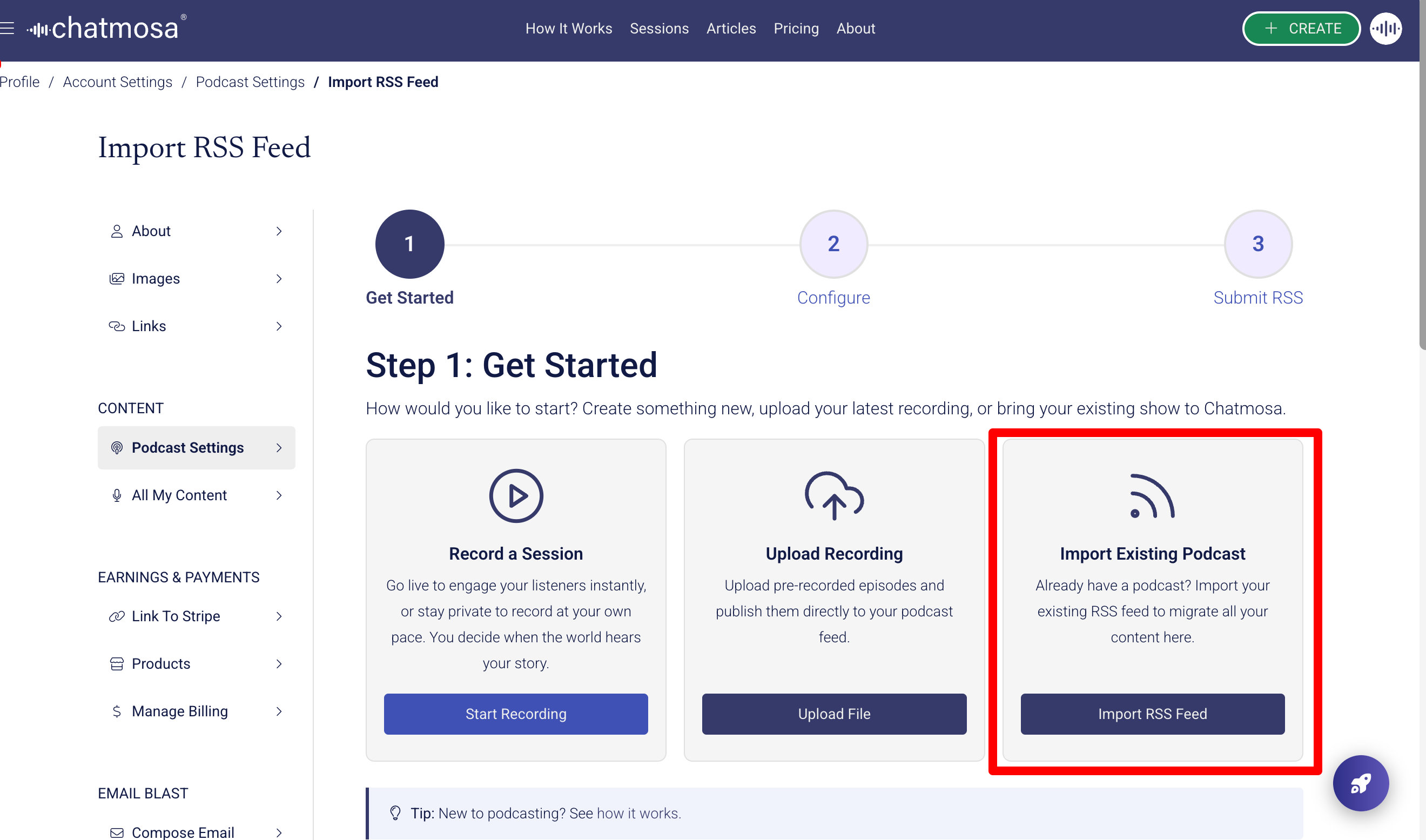
2. Input your RSS feed URL
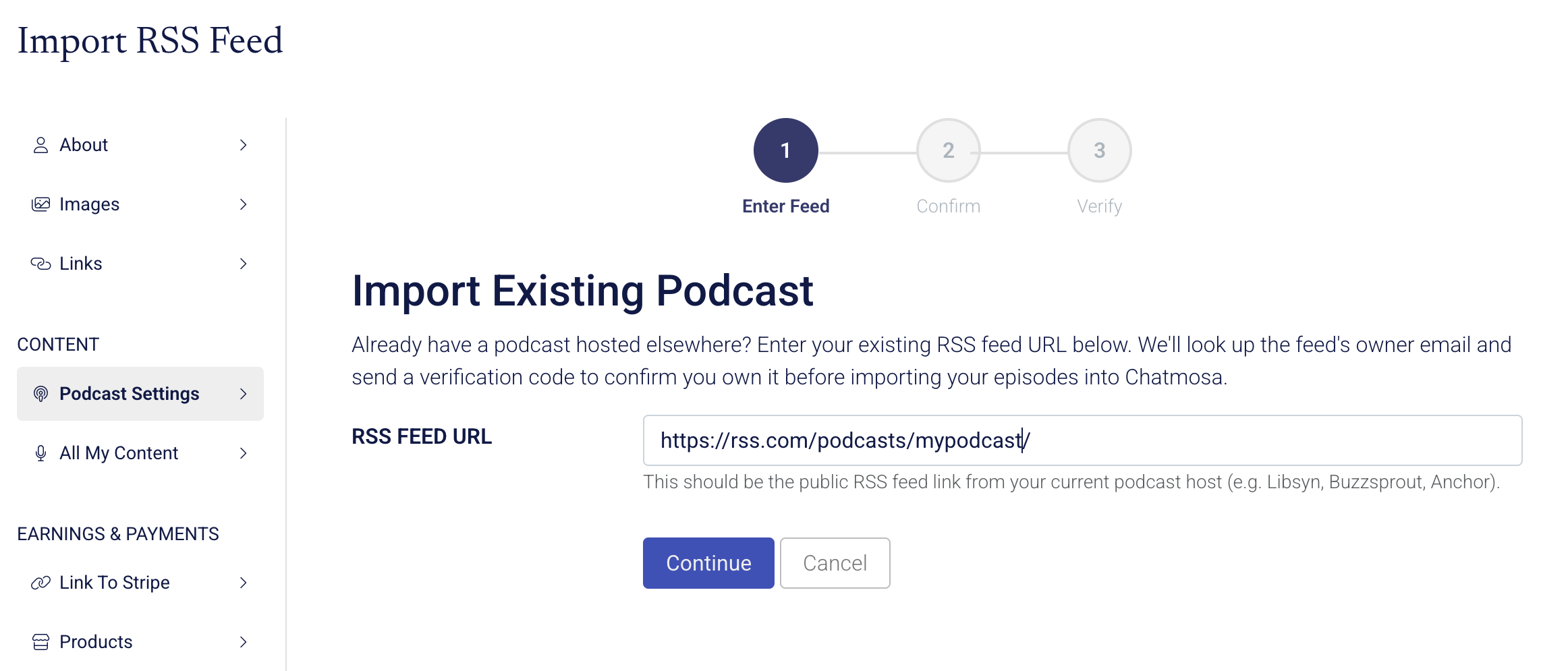
3. Select "Continue" and let Chatmosa do it's importing magic!
Catch A Break: A Real Migration
Catch A Break is a podcast built to demystify Hollywood for aspiring creators and entertainment professionals. It features candid conversations with executives, showrunners, directors, writers, and crew about how careers in film, TV, and media actually get built.
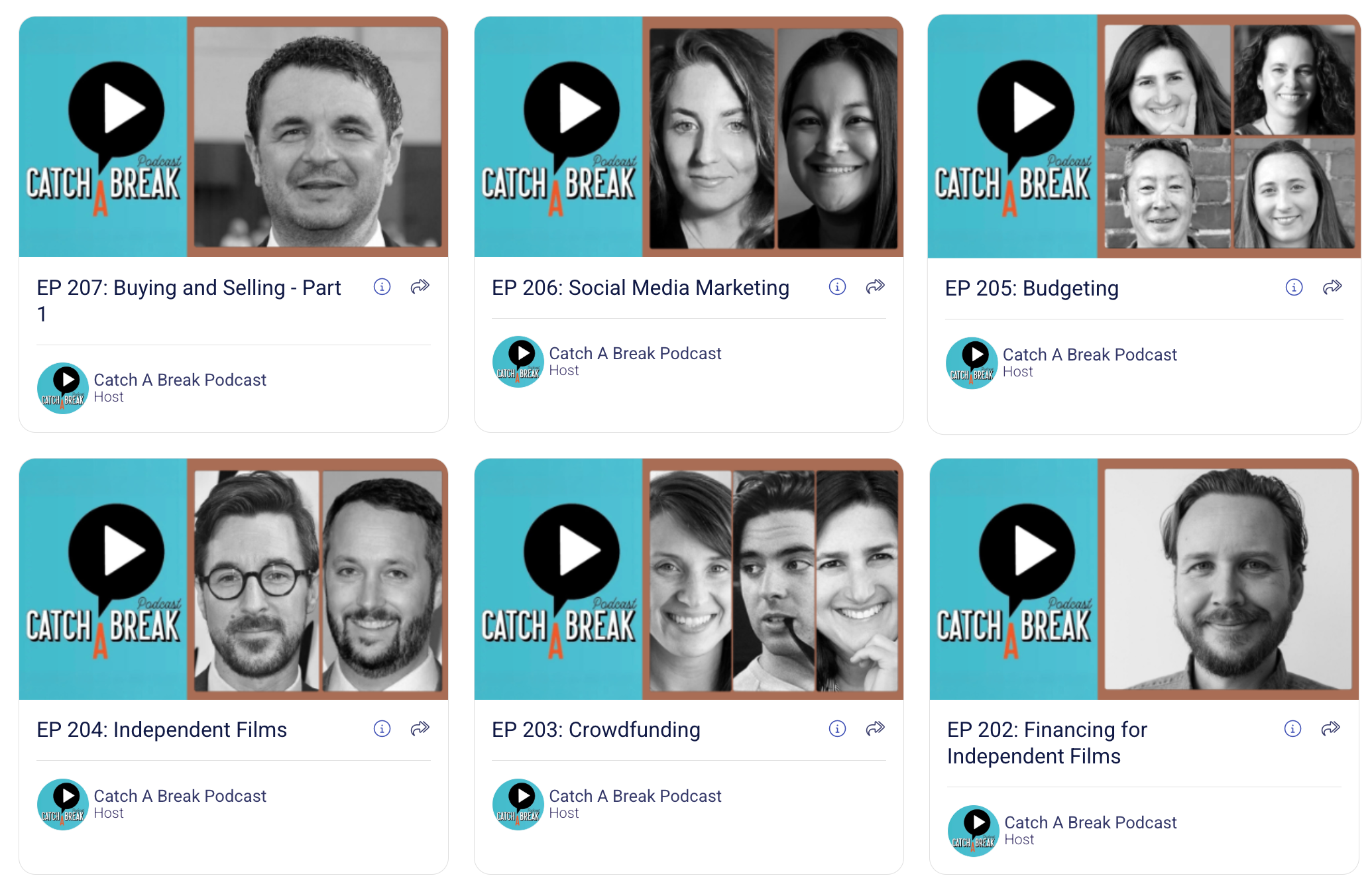
Instead of rebuilding its archive one episode at a time, Catch A Break imported its full library through its RSS feed.
Years of audio interviews now live on a Chatmosa creator profile, ready to be discovered again and enhanced with interactive Chatmosa Jumbotron features.
The archive didn't have to be rebuilt. It just had to be moved.
Importing Is Only the Beginning
Once an audio or video podcast episode is in Chatmosa, creators can upload new content and create new slides on the
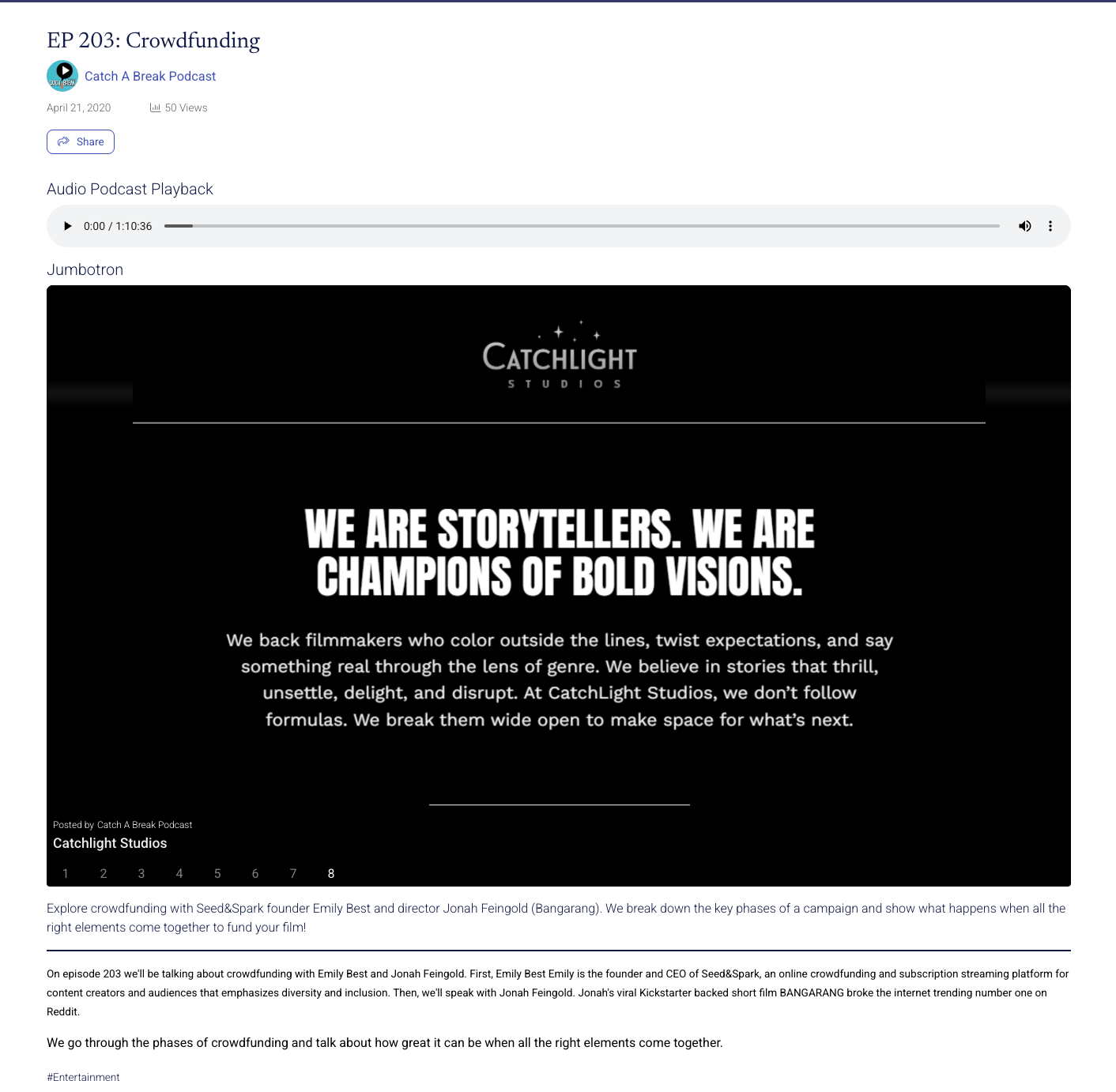
A traditional podcast episode is linear. You press play and listen. The Jumbotron turns that same episode into a multimedia experience with:
- Photos and visual references
- Clickable links
- Videos and social posts
- Polls and calls to action
- Sponsor or affiliate links
- Added context tied to the conversation
Picture a Catch A Break interview with a director. At the moment they mention a film, a resource, or a career opportunity, a Jumbotron slide appears that you can explore.
The episode stops being something you only listen to. It becomes something you can watch, explore, and act on.
Your Back Catalog Becomes an Asset Again
Podcast archives hold years of strong interviews and expertise. But once an episode slides down a feed, audiences rarely find it again.
Chatmosa gives creators a different path:
Import → Enhance → Rediscover → Engage
Bring the full audio or video catalog over, then enhance your best episodes over time with slides, links, visual context, and calls to action.
This is the quieter shift. The headline is migration. The real value may be that old episodes start earning attention again instead of sitting dormant.
It also fits Chatmosa's broader goal: one home where audio, video, transcripts, and posts live together instead of in separate silos.
The value of a back catalog depends on whether anyone can still find it.
Where This Breaks Down
Enhancing hundreds of episodes by hand isn't realistic for most creators. That's why the model is gradual. Import everything, then start with the ten episodes that still get shared or still answer the questions your audience asks.
Not every episode needs a Jumbotron. The ones that do may carry the rest of the catalog.
Final Thought
Your podcast history doesn't have to stay buried in an old RSS feed.
Bring it to Chatmosa. Enhance it. Turn your archive into an interactive media library.
#Podcasting #PodcastCreators #Chatmosa #CreatorTools #ContentStrategy
- #News
- #Technology